CPQ
Generate branded quotes in minutes with CPQ
Set up document templates and send customer
quotes right from your CRM

We’re excited to announce our upcoming integration with Dropbox Sign. With this native integration, you can sign contracts and quotes from Freshsales using the drag-and-drop e-signature option powered by Dropbox Sign. Accelerate deal cycles to close them faster with the Freshsales CPQ and Dropbox Sign integration and drive more revenue. [Available end of Q4 ’22.]
CPQ stands for Configure, Price, Quote. With the CPQ add-on in Freshsales, sales teams can generate error-free documents—like invoices, quotes, onboarding documents, contracts, and more—in a few clicks. CPQ in Freshsales enables businesses to maintain an up-to-date product catalog that includes pricing information for products, right in the CRM. As a result, salespeople are equipped with current pricing when the time comes to send a quote or generate an invoice. Salespeople can send documents to prospects and customers right from the CRM and keep track of updates on the activity timeline.
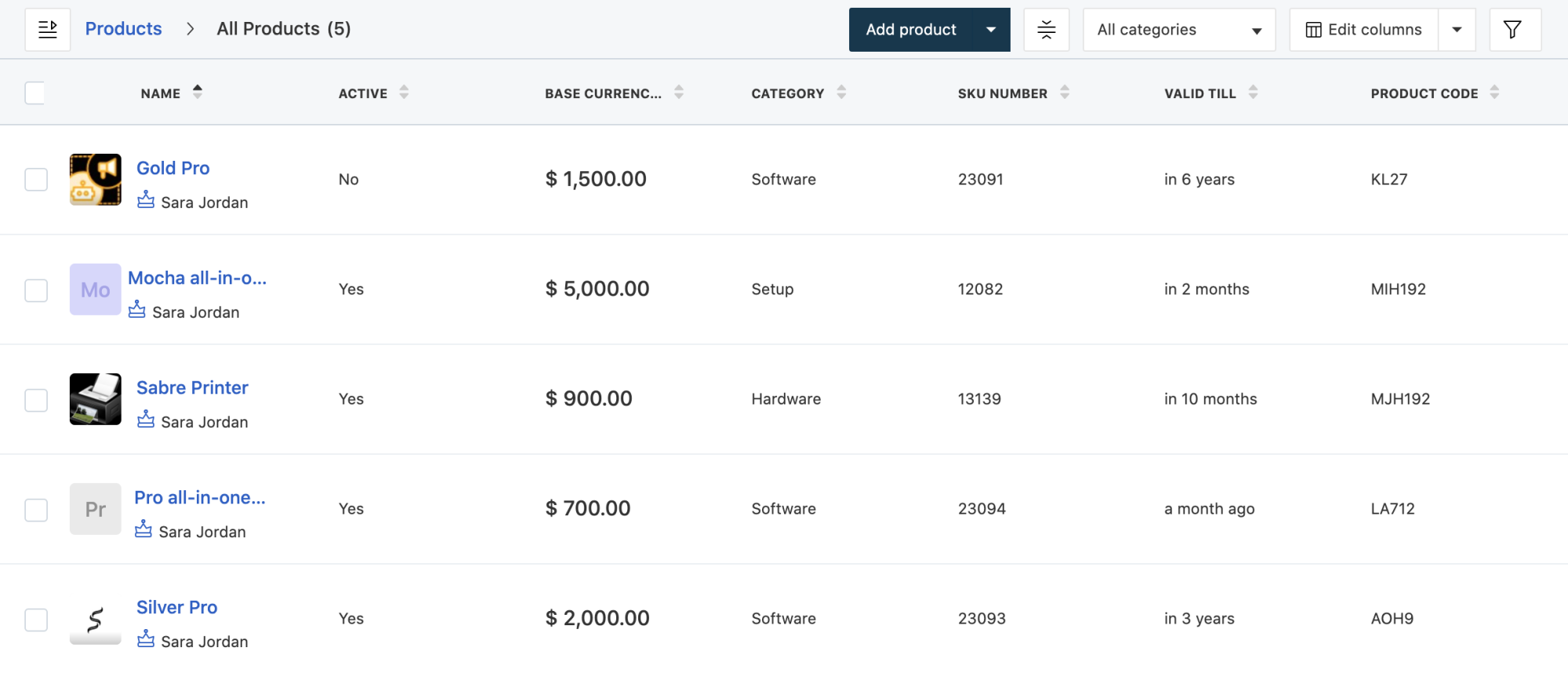
Set and manage an up-to-date product catalog for easy access
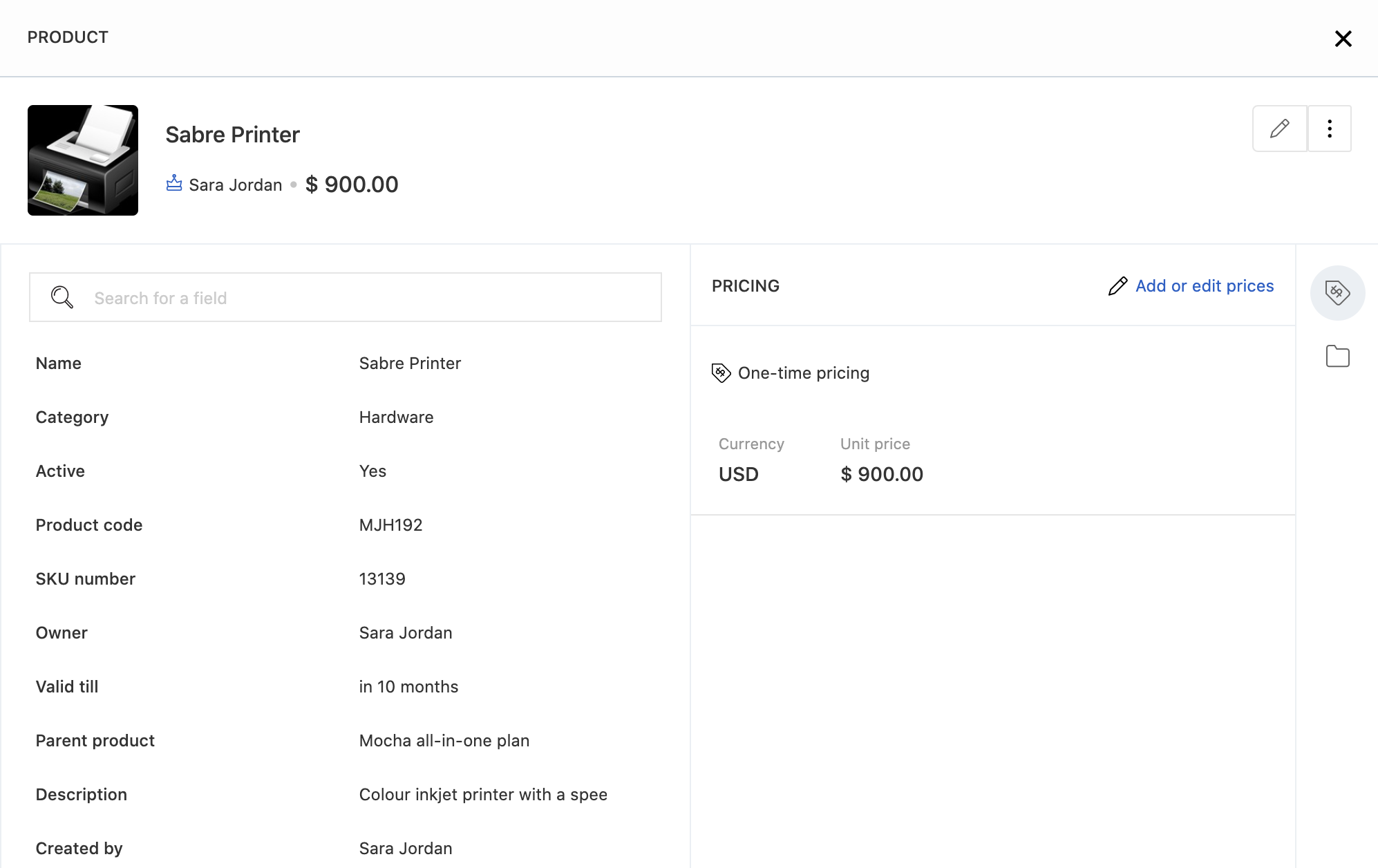
Maintain an updated list of products available for sale and view all related information on the product page like SKU number, category, product validity, and more.
Add product image and description to help salespeople identify products easily and configure product validity to ensure the catalog is updated for use.
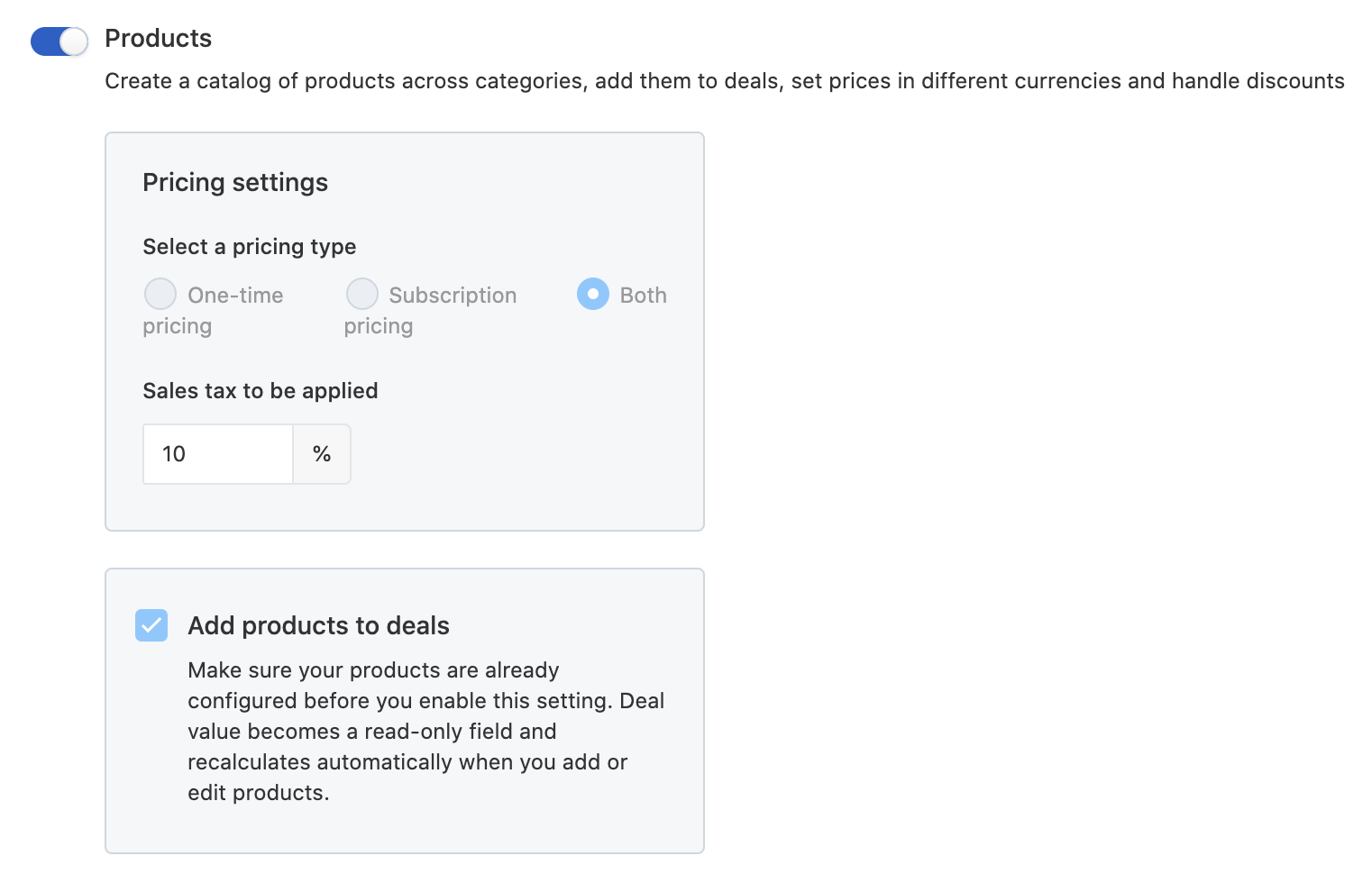
Add products to deals to automatically update the deal value based on selected products.
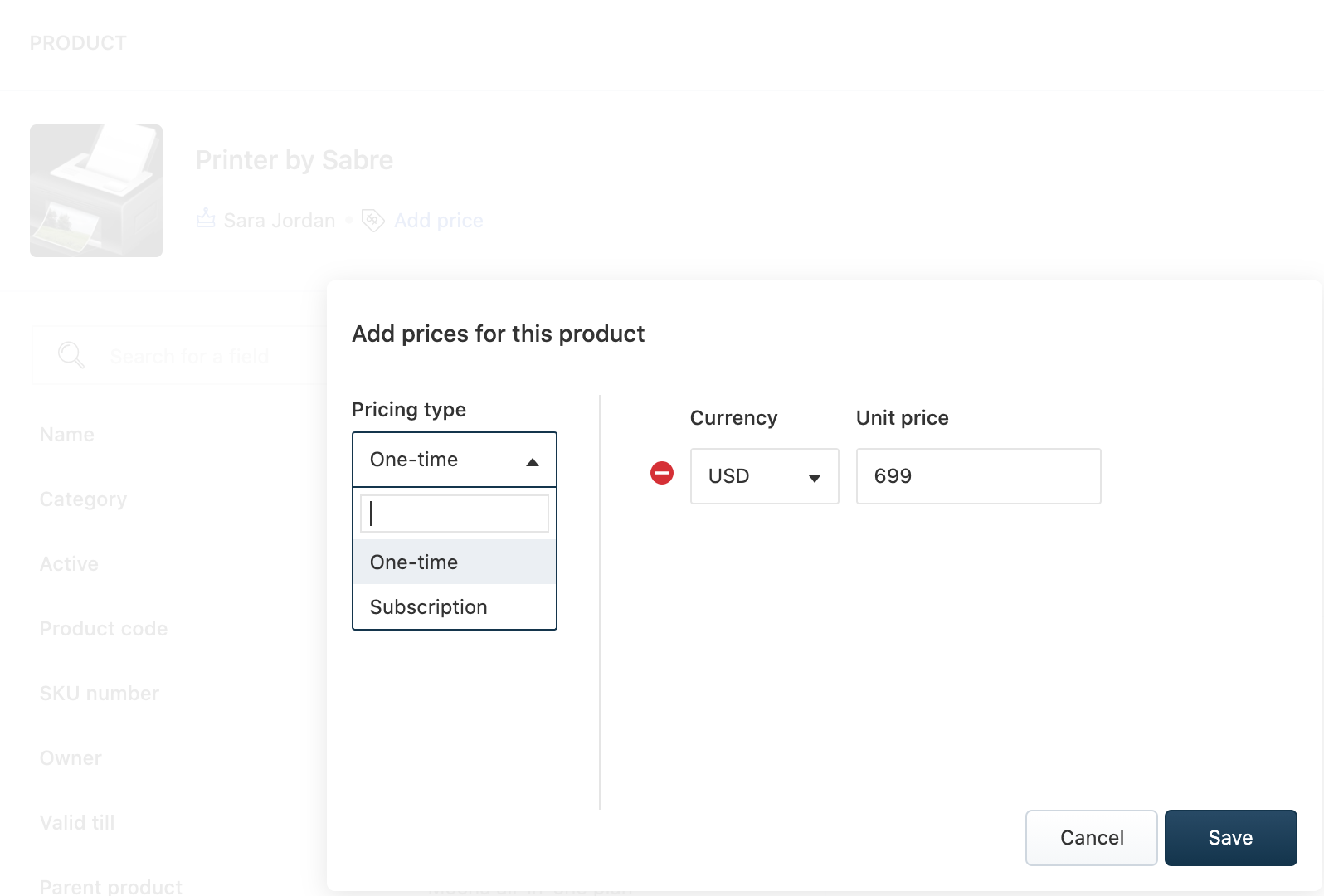
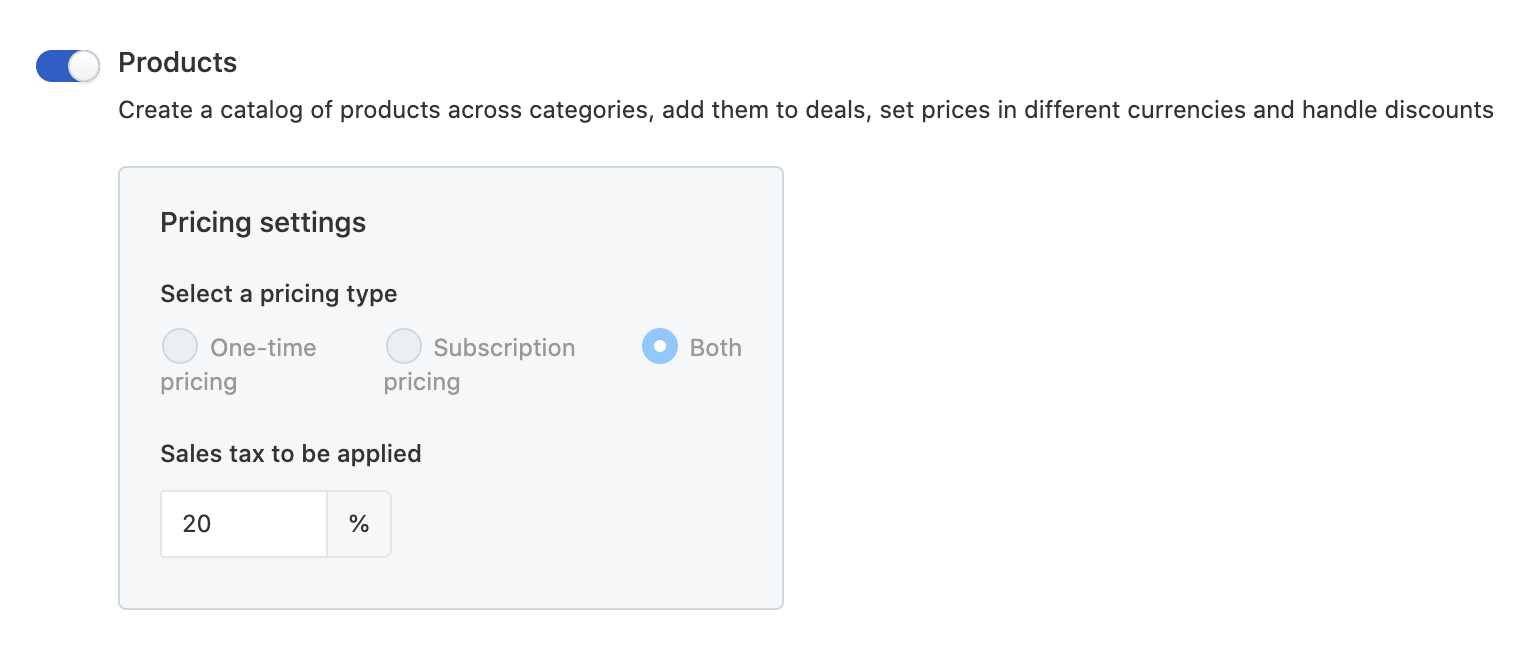
Dodge calculation errors with a CRM that displays the final pricing, taking into account tax and discount.
Configure pricing for your product catalog with one-time billing and subscription-based pricing models. Set up pricing values in multiple currencies including the unit price and the setup fee.
Apply a blanket sales tax percentage that will be automatically calculated for each product. Configure additional fields to capture other tax values based on your business type. Set up discount rates to ensure the final quote matches the approved pricing values.
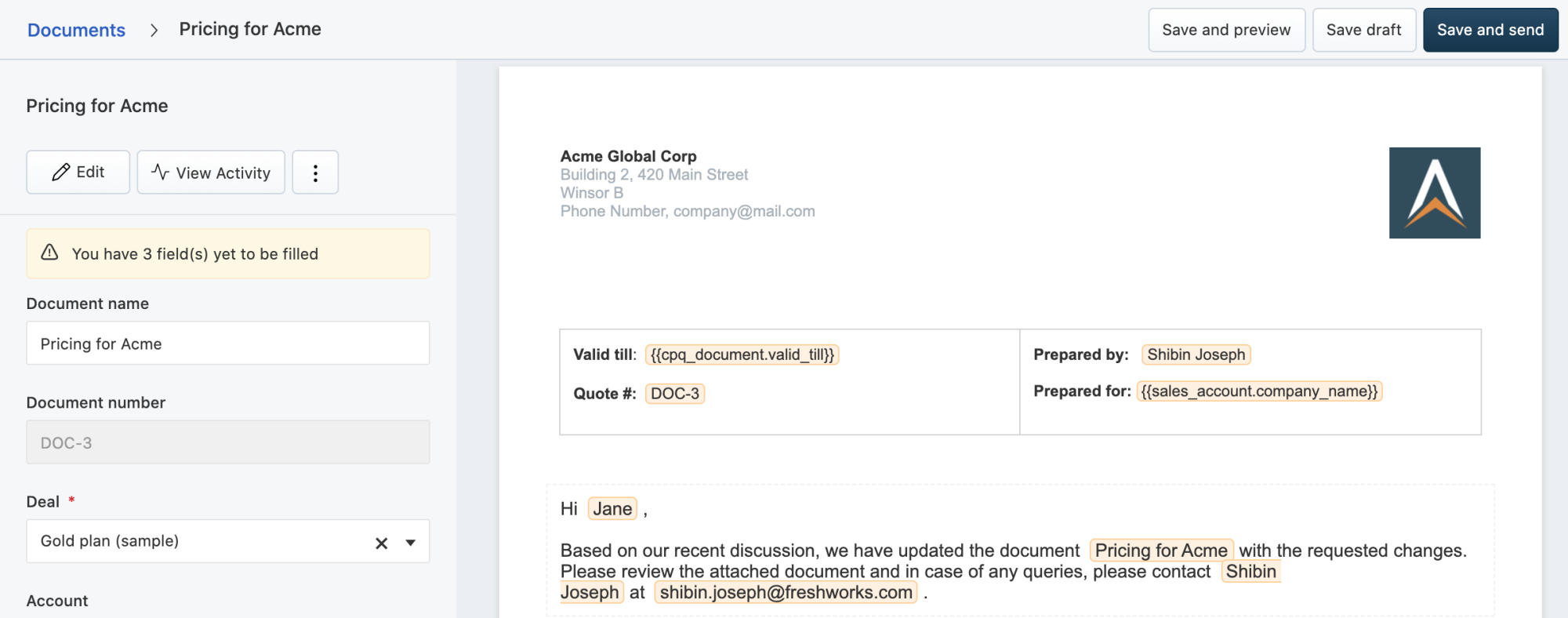
Create documents with ease and close deals faster
Set up branded document templates like onboarding, pricing, MSAs, NDAs, and more. Salespeople can easily create documents in simple clicks and customize them using placeholders that automatically populates relevant data based on the associated record.
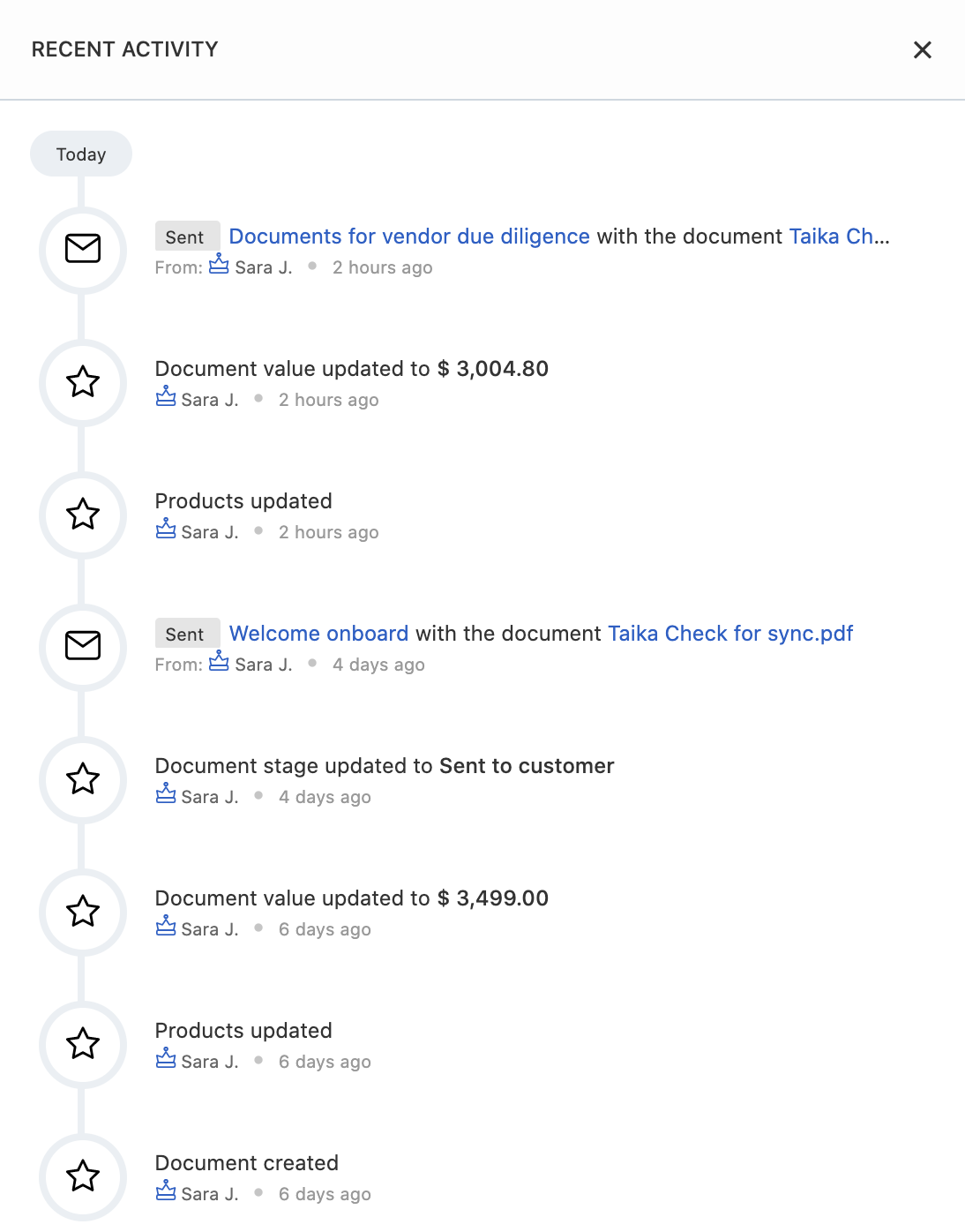
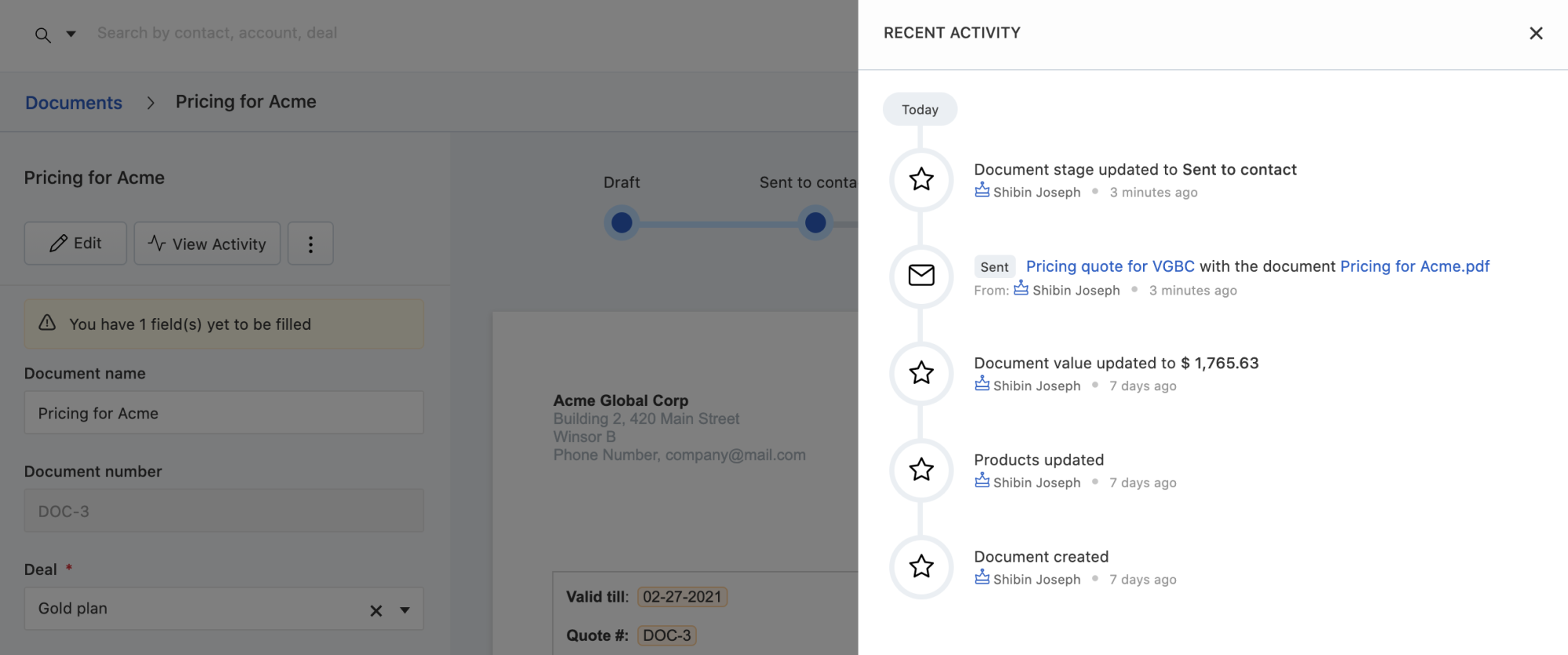
Send documents as email attachments to prospects and customers right from the CRM and get notified when they open them. Keep track of document stages and also capture custom stages unique to your sales process.
With the document-deal sync enabled, salespeople can save time spent manually updating deals based on documents and vice versa. Any update made to the deal automatically reflects on the document, ensuring that no update goes missing.

Sorry, our deep-dive didn’t help. Please try a different search term.
